
Quick Summary:
|
Introduction: What Happens When Fiscal Years Don't Match in NetSuite?
When subsidiaries in a NetSuite OneWorld environment close their books on different dates, NetSuite handles it through Fiscal Calendars and the Multiple Calendars feature: each subsidiary reports on its own statutory fiscal year, while accounting periods are rolled up to the parent subsidiary's calendar specifically for consolidated reporting. In other words, NetSuite financial consolidation doesn't force every entity onto a single calendar - it maps each subsidiary's periods into a shared rollup structure so consolidated reports still line up correctly. This is one of the more common configuration gaps finance teams discover only after a group close has already gone wrong, since the platform's default behaviour assumes a single shared calendar unless multi-calendar support is explicitly configured. Getting this right requires deliberate configuration, not a default setting, which is exactly what this guide walks through.
|
Market Context: NetSuite OneWorld supports subsidiaries with different fiscal calendars, but these must be configured carefully using the Multiple Calendars feature. Consolidated reporting usually maps to the parent calendar, while custom periods can reflect each subsidiary’s statutory year. Source: Oracle NetSuite Applications Suite, Fiscal Calendars & Running Reports for Subsidiaries with Different Accounting Periods |
Why Do Subsidiaries End Up on Different Fiscal Years in the First Place?
Mismatched fiscal years aren't usually a mistake - they're often a statutory requirement. A subsidiary incorporated in India, for example, is legally required to close its books on 31 March, while a US parent company might run a calendar-year close ending 31 December. Acquisitions introduce the same issue: a newly acquired subsidiary rarely arrives with a fiscal year that happens to match the acquirers and forcing an immediate realignment mid-year creates its own accounting complications through irregular stub periods. Understanding that mismatched fiscal years are a normal, expected part of multi-entity operations - not an edge case - is the first step toward configuring NetSuite consolidation properly rather than treating it as a workaround.
How Does NetSuite Actually Handle Consolidation Across Mismatched Fiscal Years?
At the core of NetSuite's approach is a distinction between how a subsidiary reports on its own books versus how it appears in consolidated financials. Each subsidiary retains its own fiscal calendar for statutory, entity-level reporting - this is what satisfies local regulators and auditors. For consolidated reporting, NetSuite applies the fiscal calendar of the top-level parent subsidiary to determine the period structure shown, translating each subsidiary's activity into that shared framework using the accounting period rollup.
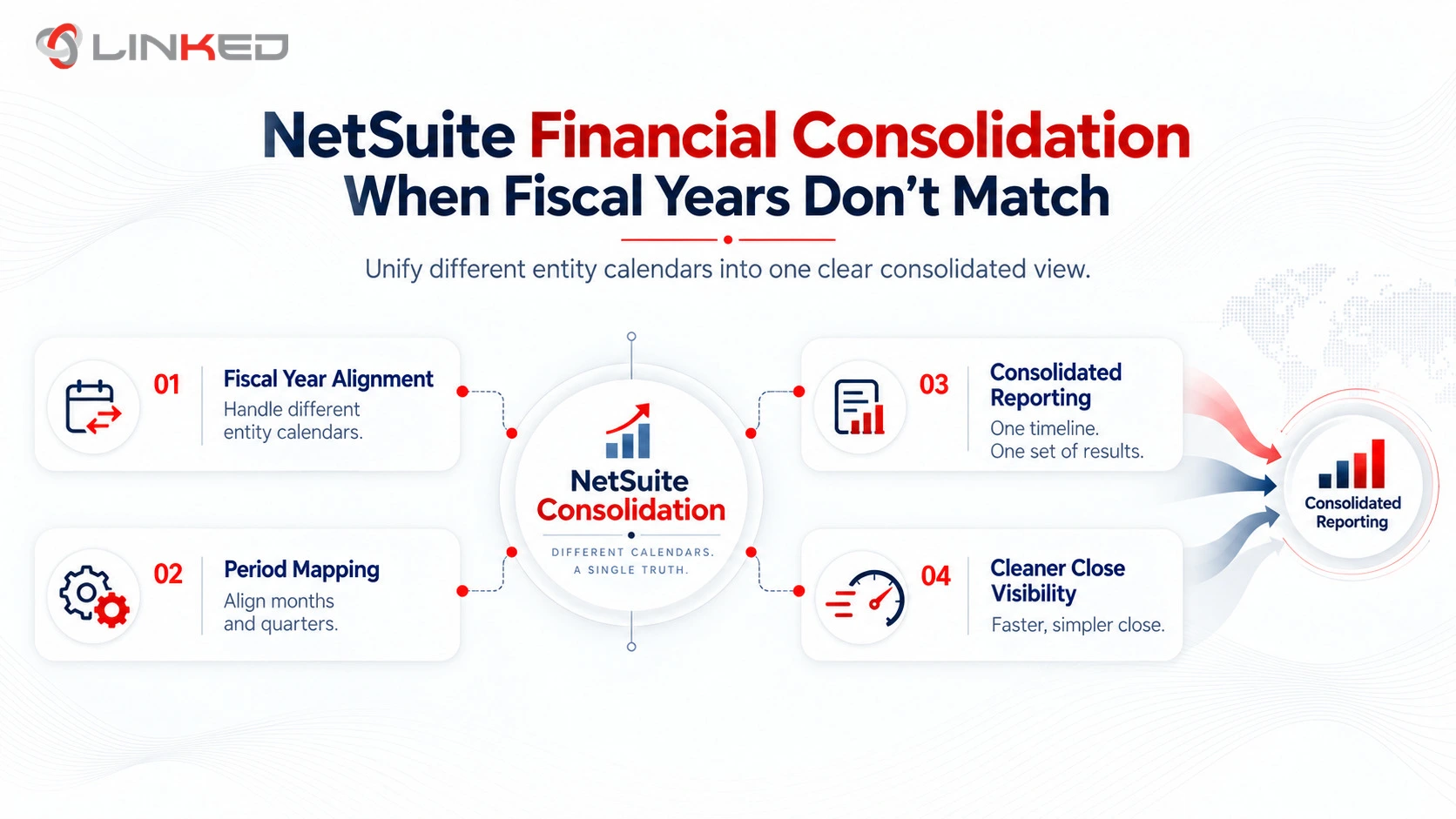
Assign Fiscal Calendars per Subsidiary
Each legal entity keeps its own statutory year-end, configured through its own fiscal calendar record.
Roll Periods Up to the Parent Calendar
Consolidated reports automatically use the parent's fiscal calendar to structure the periods shown, regardless of a child subsidiary's own year-end.
Run Subsidiary-Level Reports on Custom Periods
When a subsidiary's statutory fiscal year doesn't align with the default consolidated periods, use the Custom period option to report on that subsidiary's actual year.
Apply Consolidated Exchange Rates for Translation
For entities reporting in a different currency, NetSuite uses the Consolidated Exchange Rates table to translate figures into the parent's base currency during rollup.
Route Intercompany Activity Through Elimination Subsidiaries
Transactions between subsidiaries are eliminated at the consolidated level so intercompany profits and balances don't distort the group's reported financials.
At a Glance: Subsidiary View vs. Consolidated View
|
Aspect |
Single-Subsidiary Report |
Consolidated Report |
|
Fiscal calendar used |
The subsidiary's own fiscal calendar |
The top-level parent's fiscal calendar |
|
Currency |
Subsidiary's base currency |
Parent's base currency (via consolidated exchange rates) |
|
Intercompany transactions |
Shown as posted |
Eliminated to avoid double-counting |
|
Period alignment |
Matches local statutory year |
Matches group reporting calendar |
|
Typical use |
Local compliance, statutory filing |
Group-level management reporting, board reporting |
How Mismatched Fiscal Years Affect Your Close Cycle Timing
Beyond the technical configuration, mismatched fiscal years introduce a scheduling problem that finance teams often underestimate until they hit it directly. If a subsidiary closes its statutory books on 31 March while the parent consolidates on a December calendar, that subsidiary's data for the consolidated December close is necessarily an interim, unaudited position - its formal audited close won't happen until months later. This means your consolidated NetSuite finance system needs to handle both a "management close" view (interim figures rolled into the group's period) and a "statutory close" view (the subsidiary's own audited year-end) and these two views will show genuinely different numbers for the same subsidiary at different points in the year.
Finance teams new to this dynamic sometimes treat the discrepancy as an error to be reconciled away, when it's actually an expected feature of multi-calendar consolidation. The practical fix is procedural as much as technical: document clearly, for your own team and your auditors, which reporting view is being used for which purpose and at what point in the year each subsidiary's statutory close will be reflected in the consolidated numbers. Getting this documented early prevents a confusing, repeated conversation every quarter about why a subsidiary's numbers "changed" between the interim and audited view.
Common Mismatched Fiscal Year Scenarios in NetSuite Financial Consolidation
Statutory Year-End Requirements
- A subsidiary incorporated in a jurisdiction with a mandated fiscal year (such as an April–March year in India) needs its own fiscal calendar while still rolling up cleanly into a December-year-end parent's consolidated reports.
Mid-Year Acquisitions
- A newly acquired subsidiary often arrives mid-cycle relative to the parent's fiscal year, requiring a stub period to be configured so the acquisition date through the parent's next period-end is captured without distorting a full-year comparison.
Multi-Currency Combined with Multi-Calendar
- When a subsidiary reports in a different currency and a different fiscal year simultaneously, both the accounting period rollup and the consolidated exchange rates table need to be configured correctly together - getting one right without the other still produces a broken consolidated close.
Divestitures and Restructuring
- When a subsidiary is sold or merged mid-year, its fiscal calendar and accounting period rollup need to be closed out cleanly so historical consolidated reports remain accurate even after the entity leaves the group structure.

Best Practices for Configuring Multi-Fiscal-Year Consolidation
This OneWorld feature underpins the entire multi-fiscal-year setup and retrofitting it after subsidiaries are already live and posting transactions is considerably more disruptive than configuring it upfront.
Map Out Every Subsidiary's Statutory Year Early
Confirm each entity legally required fiscal year-end during discovery, not after the chart of accounts is already built.
Set Up Full-Year Rollups Deliberately
Use NetSuite's Set Up Full Year function on each fiscal calendar so every day is correctly assigned to an accounting period - gaps here quietly break reporting later.
Test Consolidated Reports Against Statutory Reports
Before go-live, run both the subsidiary-level statutory report and the consolidated group report side by side to confirm the numbers reconcile as expected.
Document the Rollup Logic for Your Finance Team
A written explanation of which subsidiary maps to which fiscal calendar prevents confusion during the first few consolidated closes, when the setup is least familiar to the team running it.
Plan Stub Periods for Acquisitions in Advance
Decide how a mid-year acquisition's stub period will be reported and communicated to auditors before the acquisition actually closes, not during the scramble of the first combined reporting period.
Common Mistakes That Break Multi-Calendar Consolidation
A handful of configuration mistakes show up repeatedly in businesses struggling with NetSuite consolidation across mismatched fiscal years. The most common is enabling Multiple Calendars as an afterthought, well after subsidiaries are already live and posting transactions against a single default calendar - retrofitting this mid-year is disruptive and often requires reclassifying historical transactions. Another frequent mistake is configuring the accounting period rollup incorrectly, leaving gaps where certain days aren't assigned to any accounting period, which silently breaks reporting accuracy for anyone running reports across that boundary. Businesses also commonly forget to update consolidated exchange rates when a new subsidiary with a mismatched fiscal year and a different currency goes live simultaneously, producing consolidated figures that look plausible but are quietly wrong. Finally, many finance teams skip testing consolidated reports against subsidiary-level statutory reports before go-live, only discovering a reconciliation gap during the first real close - exactly the moment when there's no time to properly investigate it.
Do You Need a NetSuite Accounting Consultant for This?
Multi-calendar consolidation sits squarely in the category of NetSuite configuration where a documented mistake is expensive to unwind. A NetSuite accounting consultant with genuine OneWorld and multi-subsidiary experience will typically catch issues a generalist administrator might miss - an incorrectly configured accounting period rollup, a missing elimination subsidiary or a consolidated exchange rate table that wasn't updated after a new subsidiary went live. Given how central this configuration is to trustworthy group-level reporting, most finance teams find it worthwhile to bring in specialist support for this specific piece of the NetSuite finance system, even if the broader implementation is otherwise handled in-house.
Why LinkedERP Handles NetSuite Financial Consolidation Properly
LinkedERP configures NetSuite financial consolidation for multi-entity businesses managing subsidiaries across different statutory fiscal years, currencies and reporting requirements, with a contractual commitment to document the rollup logic your finance team will actually need to rely on.
What LinkedERP Brings to Every Engagement
- Certified NetSuite Accounting Consultants - Every multi-calendar configuration is led by consultants with hands-on OneWorld consolidation experience, named in the proposal before signing.
- Statutory-First Discovery - Each subsidiary legally required fiscal year is mapped and confirmed before any fiscal calendar or accounting period rollup is configured.
- Reconciliation Testing Before Go-Live - Consolidated and subsidiary-level reports are tested side by side to confirm figures reconcile before your first live close depends on them.
- Documented Rollup Logic - Every fiscal calendar assignment and rollup decision is documented in writing and handed over - no undocumented configuration your team has to reverse-engineer later.
- Post-Implementation Managed Services - A named support contact and defined SLAs to support your finance team through subsequent stub periods, acquisitions or fiscal calendar changes.
LinkedERP's NetSuite Finance Capability Stack
- Multi-Subsidiary Consolidation - Fiscal calendar configuration, accounting period rollups and elimination subsidiary setup for accurate group reporting.
- Multi-Currency Translation - Consolidated exchange rate configuration aligned with your consolidation structure.
- Revenue Recognition - ASC 606-aligned setup for percentage-of-completion, milestone and recurring revenue models.
- Intercompany Accounting - Transfer pricing and intercompany elimination configured to match your actual group structure.
- Financial Reporting - Custom period reporting for subsidiaries with non-standard fiscal years, alongside standard consolidated dashboards.
- AI & Automation - AI-assisted anomaly detection across consolidation entries to catch mismatches before they reach the close.
- Managed Support - Ongoing configuration support as your subsidiary structure, fiscal calendars or reporting needs evolve.
Taken together, this is what separates LinkedERP from a typical NetSuite financial services provider: statutory-first discovery that gets fiscal calendars right the first time, documented rollup logic your team can actually maintain and a capability stack built specifically around the complexity multi-entity consolidation introduces.
Conclusion: Is Your NetSuite Consolidation Actually Configured for Mismatched Fiscal Years?
NetSuite financial consolidation is fully capable of handling subsidiaries on different fiscal years - but only when Multiple Calendars, fiscal calendar assignments and accounting period rollups are configured deliberately during setup, not discovered as a gap during your first group close. If your business operates subsidiaries with different statutory year-ends, now is the time to confirm your NetSuite finance system is actually configured to handle it correctly, rather than finding out during a board reporting deadline.
Managing
subsidiaries on different fiscal years and unsure your NetSuite consolidation
is configured correctly?
Talk to LinkedERP's team for a review of your fiscal calendar setup and a clear path to a clean, reconciled consolidated close.
www.linkederp.com | info@linkederp.com | Book a Free Assessment
Frequently asked questions
Yes, using the Multiple Calendars feature and Fiscal Calendars, each subsidiary can close on its own statutory year while NetSuite rolls figure up to the parent's calendar for consolidated reporting.
It typically requires a configured stub period, reporting the acquisition date through the parent's next period-end, so the transition doesn't distort year-over-year consolidated comparison.
You usually cannot get accurate consolidated reports without identifying and eliminating intercompany transactions; otherwise, internal sales, expenses or balances may inflate group-level results.
NetSuite OneWorld simplifies multi-entity accounting by managing subsidiaries, currencies, tax rules, intercompany transactions and consolidated reporting within one unified ERP environment.
The three common types are full consolidation, proportional consolidation and equity-method consolidation, depending on the level of ownership and control.
Standardise charts of accounts, automate intercompany eliminations, align reporting calendars, centralise approvals and use a unified ERP like NetSuite OneWorld for real-time visibility.